


Rummy - Classic Card Game
4.61.28K Reviews
App Specs
- Version
- 1.5.1.1839
- Updated On
- License
- Free
- Downloads
- 1,000,000+
- Developer
- MobilityWare
- Categories
- Card
- Platform
- Android, iOS
Screenshots
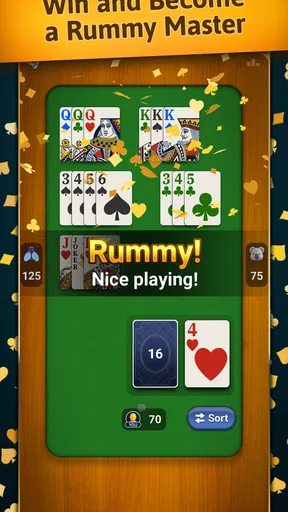
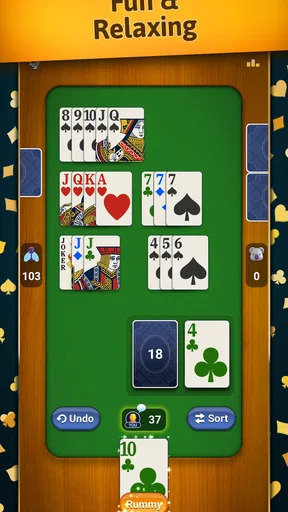
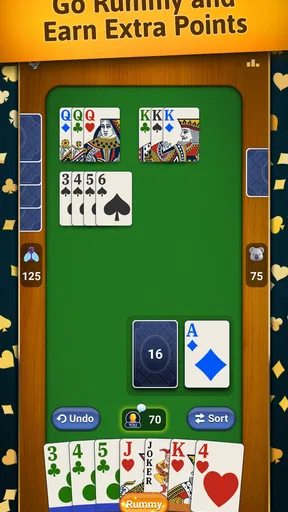
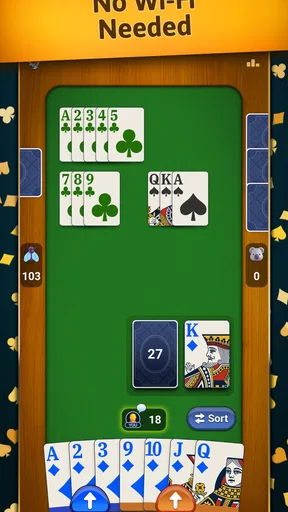
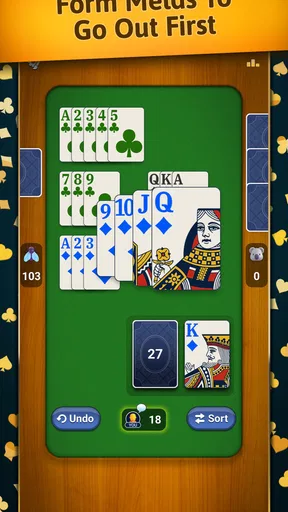
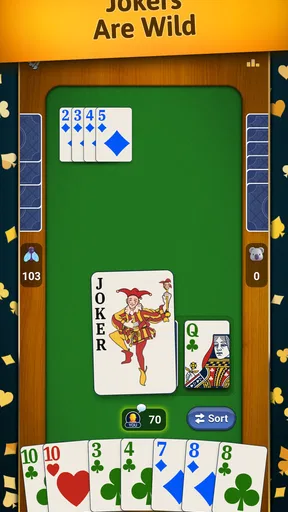

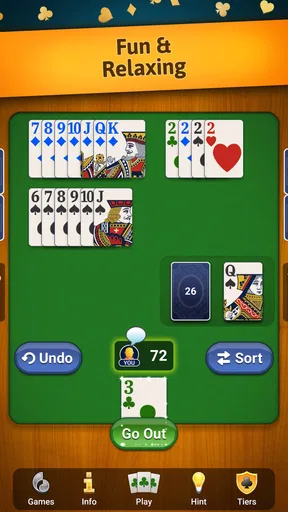
 Analysis by AppCompare
If you've ever been hooked on card games, you know how addictive and thrilling they can be. One game that's been catching a lot of attention lately is Rummy - Classic Card Game. Let me tell you, this app is like having a cozy card table right in your pocket. I’ve been playing it for a while now, and here’s the lowdown on everything you need to know.
What to Expect from This Rummy Table
MobilityWare’s free card game is built around a familiar kind of Rummy: make useful combinations from the cards in your hand, then decide when to play them and when to hold back. The appeal is less about spectacle than about the small decisions that make a hand turn around. If you enjoy thinking a few moves ahead without committing to a long strategy game, that makes it an easy title to pick up in a spare moment.
It is worth setting expectations before you start. Rummy is a game of changing options, not a puzzle where every deal has one obvious answer. A hand that looks promising can stall while you wait for a card, and a card you keep for one plan may become awkward if the next draw points elsewhere. I find that uncertainty part of the fun, but anyone looking for a purely luck-free test of skill may prefer a deeper strategy game.
The game is rated Everyone, which makes it a reasonable choice for casual play around family, though the familiar rules may still need explaining to younger or completely new players. The listed average is 4.7 from around 23,000 ratings, and it has passed 500,000 installs. Those figures suggest a well-established audience, but the more practical test is whether you enjoy the rhythm of building sets and runs one card at a time.
Getting Started with Rummy
First things first, downloading the app is a breeze. Whether you're on Android or iOS, just hit the link from your app store, and you’ll be set up in no time. When you fire it up for the first time, you're greeted with an intuitive interface that guides you through the basics. It’s like having a friendly dealer welcoming you to the table.
The game offers a handful of variations, but don't sweat it if you're a newbie. The app does a fantastic job of easing you into the basic rules. You’ll find a helpful tutorial that explains the essential mechanics: creating sets, forming runs, and the ultimate goal of reducing your hand to zero. It’s straightforward, but if you’re like me, you’ll still need a few practice rounds to get the hang of it.
Making Your First Useful Move
For a first meaningful success, don’t try to plan the entire hand from the opening deal. Look first for cards that already seem to belong together, then notice which one-card additions would complete a set or a run. As you draw and discard, keep one flexible option in mind rather than clinging to several incomplete plans. That simple habit makes the choices easier to read and gives you a clear reason for each discard.
Worth Reading Before You Choose

EA SPORTS FC Mobile 26 Is a Bigger Football Game, but It Takes Time

Flipboard Shows What News Apps Must Do Beyond the Feed

Switching to Android Auto Means Rethinking Your Driving Routine

Google Calendar Makes a Crowded Week Easier to Manage

Ludo King Makes the Most of the Minutes Between Plans

Baby Panda World Brings Quick Play to Modern Phones, but Its Game Library Feels Busy
A practical way to learn is to say your plan to yourself before you act: “I’m keeping these cards because one more could finish this sequence; this other card is not helping.” When a later draw changes the picture, be willing to let the old plan go. In Rummy, a tidy hand is not always a useful hand, and holding too many cards for a distant possibility can leave you with fewer chances to adapt.
When you first reach the point where your cards combine cleanly and you can finish the hand, take a moment to see what made that move possible. Was it keeping a flexible card, or abandoning a weak combination early? Remembering that decision is more useful than simply celebrating a win. It gives you a small lesson to carry into the next deal without turning a casual game into homework.
Diving Into Gameplay
Once you’ve got the basics down, it’s time to dive into the real action. The Rummy - Classic Card Game app offers both single-player and multiplayer modes. I’m a bit of a lone wolf, so I started with single-player. The AI opponents are surprisingly challenging, keeping things interesting without being frustratingly difficult.
Switching to multiplayer is where the game truly shines. You can match up with friends or face off against random players from around the world. There’s a chat function, which is a neat touch if you’re into a bit of friendly banter. Just remember, it’s all in good fun!
For a first session, I’d begin with solo play if the rules are still new to you. It lets you focus on how the cards fit together without feeling rushed by another person’s turn. Multiplayer is a better next step when you already know what you are trying to hold and what you are ready to discard. If the social side is what attracts you, it can make a familiar card game feel less solitary; if you prefer quiet concentration, single-player is the more comfortable fit.
That difference matters when choosing among card-game apps. A solitaire game is usually a personal puzzle, while Rummy asks you to manage a hand that changes as play continues. Compared with other digital Rummy options, this one is most appealing if you want the recognizable card-table format and the choice between playing alone and facing other people. If you want a very different kind of challenge, such as a solo game with no opponents or a collectible-card strategy experience, another category will suit you better.
Graphics and Sound
Now, let’s talk aesthetics. The graphics are crisp and clean, making it easy to distinguish between cards. I love the vintage card table vibe they’ve gone for. It’s like playing in a classic casino but without the noise and smoke. Speaking of noise, the sound effects are subtle yet effective. The shuffling of cards and the gentle background music adds to the immersive experience.
For short sessions, clear card faces are more important to me than elaborate visual effects: I want to spot a possible run quickly, especially when I am playing on a small screen or with only a few minutes free. The classic table presentation supports that familiar feel, though players who want animated spectacle or a strongly themed world may find the look restrained. If you prefer a quieter session, lowering or muting sound is also an easy personal adjustment whenever the setting makes audio inconvenient.
User Experience and Features
The app is packed with features designed to enhance your experience. There are daily challenges, which I find pretty addictive. They offer a fun way to mix up your routine play and earn rewards. The leaderboards are also a great motivator if you’re competitive like me. Climbing up the ranks is no easy feat, but totally satisfying.
Another aspect I appreciate is the customization options. You can tweak the card design and table color to suit your style. It’s these little touches that make the game feel personal. Plus, the app runs smoothly without any noticeable lags, even during intense multiplayer sessions.
For a low-pressure routine, I’d treat a challenge as an optional prompt rather than a daily obligation. It can give a familiar game a different goal when you are bored with ordinary rounds, but it is not necessary to enjoy the core card play. Likewise, leaderboards are a bonus for people who like tracking progress; they are easy to ignore if you simply want a few relaxed hands. The useful trade-off is that these extras can give you a reason to return, while also making the experience feel more competitive than a basic casual game.
Changing the card design or table color is not just decoration if a particular contrast is easier for you to read. Try a combination that makes suits and ranks quick to distinguish, then keep it if it helps you make decisions at a glance. I’d avoid changing several settings at once when you are learning: keeping the visual layout familiar makes it easier to focus on the rules rather than searching the screen.
Things to Know Before You Settle In
The game is free to download, with in-app purchases priced from $4.99 to $29.99 per item. I would start by playing without buying anything and decide later whether an optional purchase adds enough value to your own routine. If your goal is simply to learn Rummy or fill a short break, there is no need to treat a purchase as part of getting started.
One everyday use case is a commute with a few minutes to spare, or a quiet break while waiting for an appointment. A quick session can fit that gap better than a game that demands a long uninterrupted commitment. I would avoid starting a multiplayer round if you know you may have to put your phone away at any moment; solo play is the safer choice when interruptions are likely. That small distinction helps match the mode to your day rather than leaving a game unfinished at an inconvenient time.
The app’s current version is 1.4.3.1729, and it requires Android 8.0 or later. If you are checking an older device before installing, that minimum system requirement is the practical detail to look at first. The release date is November 4, 2024, so this is a relatively recent entry from MobilityWare, rather than an old card app that has simply been sitting unchanged for years.
One common point of confusion for new players is assuming that every card that might eventually fit a combination is worth keeping. It is not. A card can be attractive in theory but costly to hold if it does not connect with anything else you have. When a hand feels stuck, review the cards you are saving and ask which one has the clearest path to becoming useful. That check often reveals a better discard than waiting passively for a perfect draw.
Who Will Enjoy It—and Who May Not
I’d recommend this game to someone who knows Rummy already and wants a convenient way to play, as well as a beginner willing to learn through a few hands. It also suits people who like alternating between a quiet solo session and more social play. The familiar rules make it approachable, while the changing combinations leave room to improve your decisions over time.
I would steer away from it if you dislike luck affecting card games, want a campaign with a story, or are looking for a game built around collecting cards and constructing a custom deck. It is also not the best match for someone who wants every round to be a fast, consequence-free reflex challenge. Rummy rewards attention to your hand and patience with imperfect options, so the enjoyment depends on liking that slower kind of decision-making.
Final Thoughts
All in all, Rummy - Classic Card Game is a fantastic app for anyone who loves card games. It’s accessible for beginners yet offers enough depth to keep seasoned players engaged. Whether you're looking to kill some time or challenge your friends, this app has got you covered.
If you haven’t tried it yet, I’d say give it a shot. You might just find yourself hooked on this classic card game. So, grab a cup of coffee, settle into a comfy chair, and get ready to immerse yourself in the world of Rummy. Trust me, it’s worth it!
Pros
- Intuitive user interface
- easy to navigate.
- Variety of game modes for different skill levels.
- Offline mode available for practice play.
- Daily rewards and bonuses keep engagement high.
- Smooth gameplay with minimal lag issues.
Cons
- Frequent ads can disrupt the gaming experience.
- Limited customization options for avatars.
- Some in-app purchases are pricey.
- Occasional connectivity issues in multiplayer.
- Tutorials are basic
- lack depth for beginners.
FAQs for Rummy - Classic Card Game
What are the basic rules of Rummy - Classic Card Game?
Rummy - Classic Card Game is a traditional card game where the objective is to form sets or runs of cards. A set consists of three or four cards of the same rank but different suits, and a run is a sequence of three or more cards of the same suit. Players draw and discard cards to achieve these combinations.
Is Rummy - Classic Card Game available offline?
Yes, Rummy - Classic Card Game can be played offline. This feature allows players to enjoy the game without an internet connection, making it convenient for play during travel or in areas with limited connectivity. However, some features, like multiplayer mode, require an internet connection.
Does the game offer any tutorials or practice modes for beginners?
Rummy - Classic Card Game includes a tutorial mode designed for beginners. This mode guides new players through the rules and strategies, providing a hands-on learning experience. Additionally, a practice mode is available, allowing players to refine their skills against AI opponents before facing real players.
Are there in-app purchases in Rummy - Classic Card Game?
Yes, Rummy - Classic Card Game does offer in-app purchases. These purchases can include additional features, ad removal, or special card decks. While the core game is free to play, these purchases provide enhancements that can enrich the gaming experience.
What platforms support Rummy - Classic Card Game?
Rummy - Classic Card Game is available for both Android and iOS platforms. This ensures that users with smartphones or tablets from either operating system can enjoy the game. The app is regularly updated to ensure compatibility with the latest versions of these platforms.


